

REPORTS
Clear insights,
better decisions
Track team performance, response times, and ticket trends to optimize your support workflow.

Make Better Decisions with Data
Stay on top of your support performance with clear, actionable insights. HelpSpace Reports give you a full view of ticket activity, team efficiency, and customer needs—all in one place.
CUSTOMERS
Customer & Ticket Trends
Customer Satisfation
See at a glance how satisfied your customers are with your ticket responses.
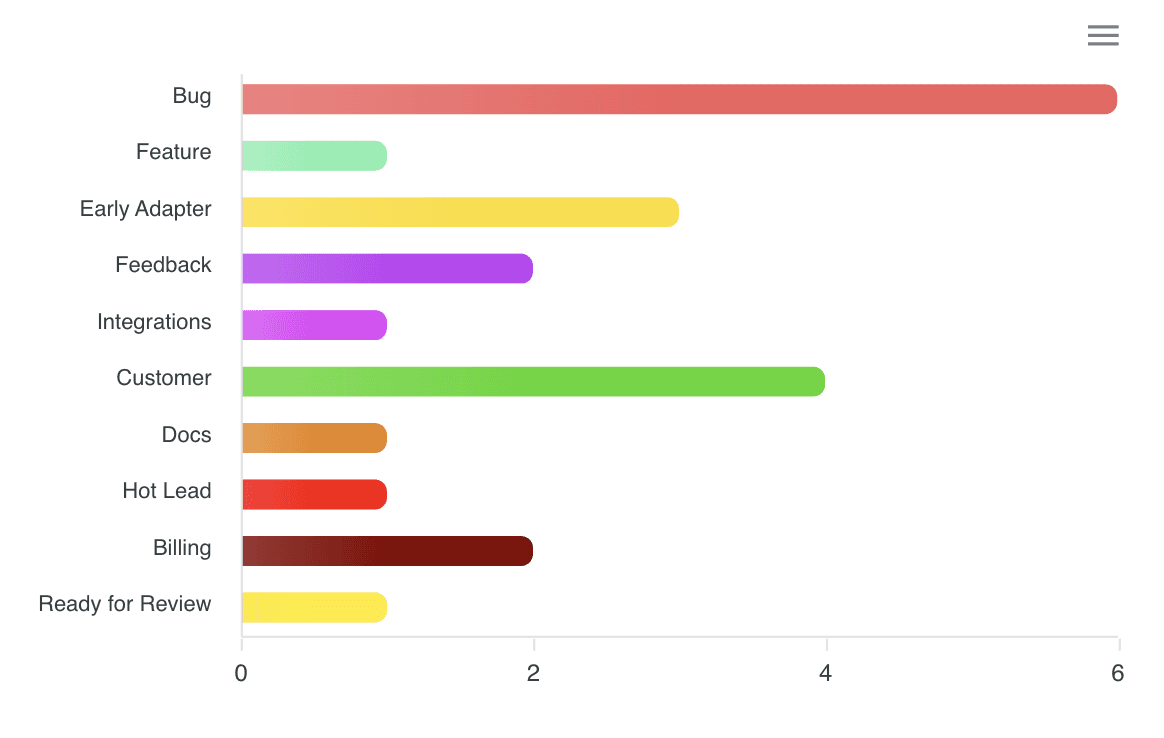
Tag Reports
Track which tags are used most in tickets to uncover recurring topics and optimize your support strategy.
AGENTS
Team Workload at a Glance
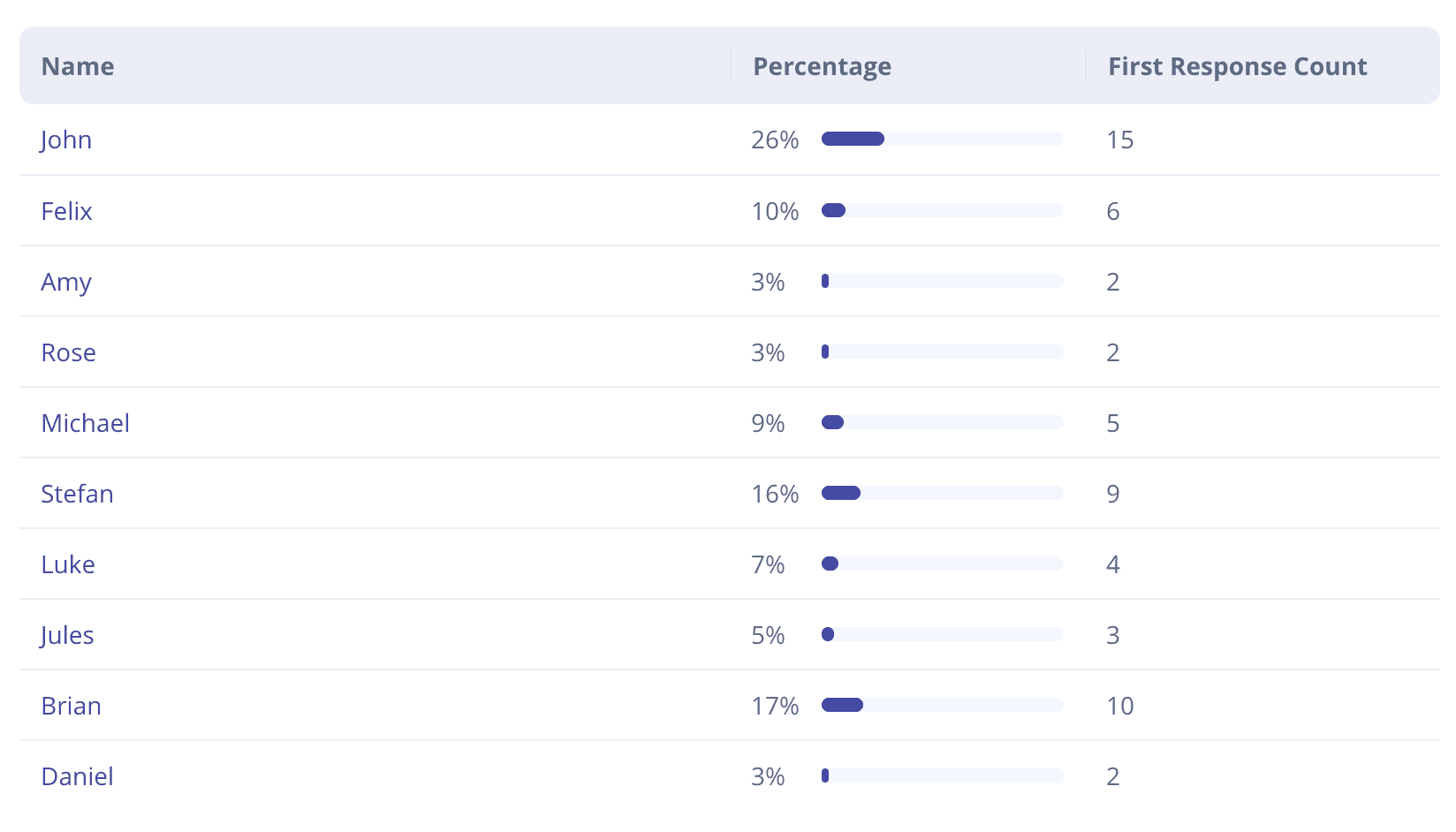
First Response by Agent
Track first responses by agent to monitor responsiveness and ensure timely support.
Ticket Closed by Agent
See how many tickets each agent has closed to evaluate productivity and team performance.
MORE FEATURES

Tickets by Channel
See ticket volume by channel to track where requests come from.
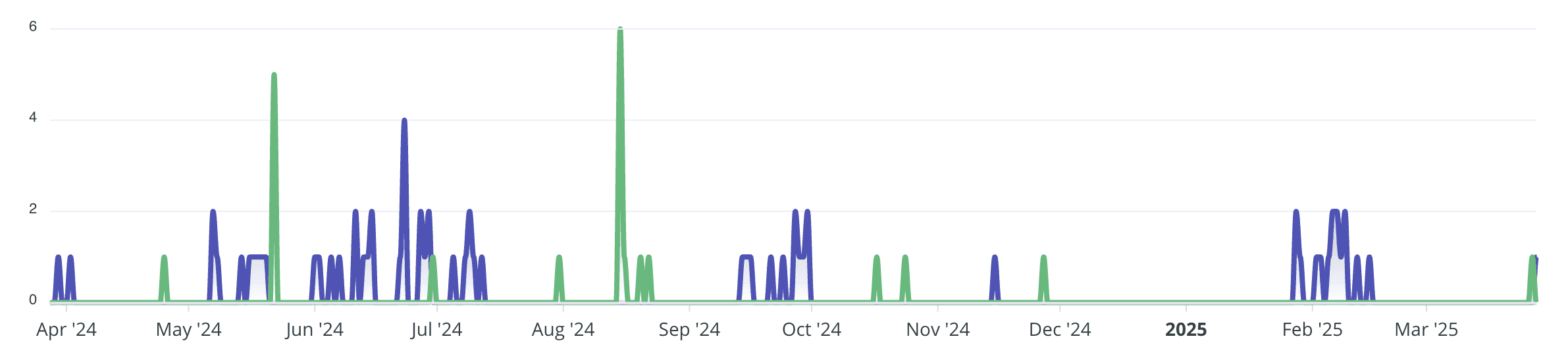
Tickets Timeline
New and closed tickets are displayed on a timeline, giving you a clear view of when tickets were opened and resolved over time.
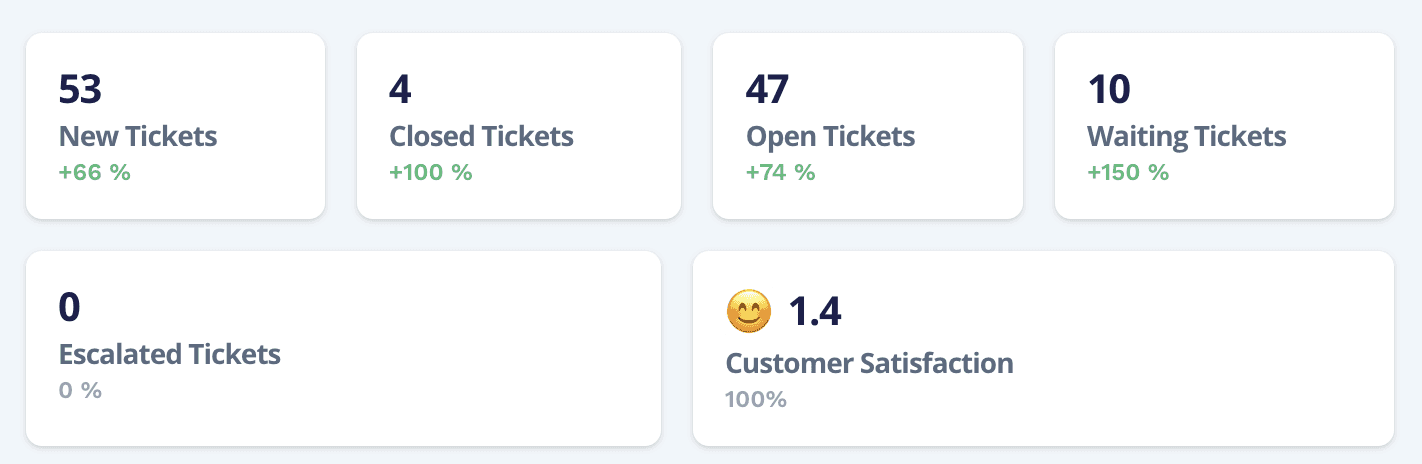
Status Overview
Get a detailed overview of how many tickets are in each status to monitor progress, identify bottlenecks, and manage workload effectively – including customer satisfaction ratings to measure support quality.
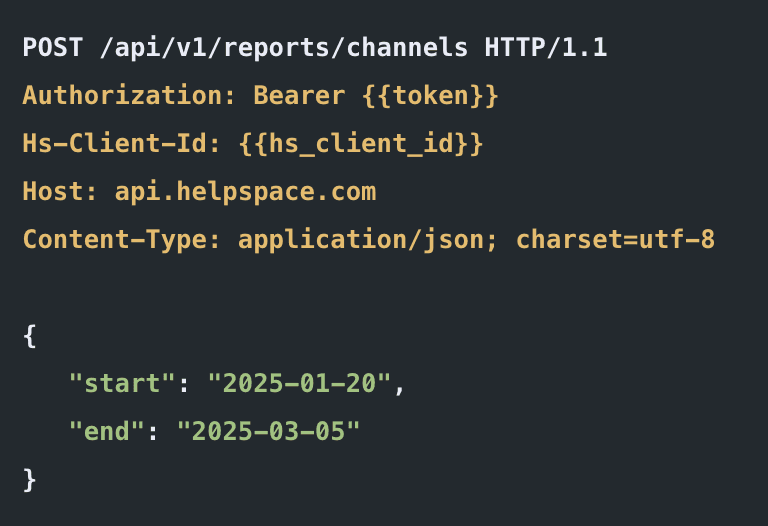
Report API
Export reports via our API for deeper analysis and custom evaluation. Check our API.
FAQ
The most important questions about reports and analytics in HelpSpace.
Why do I need reports in my support software at all?
Without reports, you’re operating blind. You may know your team is busy—but you don’t know if they’re working efficiently, where the biggest bottlenecks are, or which issues keep recurring. Decisions end up being based on gut feeling instead of facts, leading to poor planning, overloaded teams, and unhappy customers.
HelpSpace reports give you the visibility you need to improve your support strategically. You can instantly see how many tickets are coming in, how quickly they’re being answered, how each agent is performing, and which topics drive most of your support workload.
In short: reports are the difference between a support team that reacts—and one that anticipates.
What reports are available in HelpSpace?
How can I use reports to better distribute my team’s workload?
What does the customer satisfaction report tell me?
What does the tag report show—and why is it useful?
What’s the difference between the timeline report and the status overview?
Can I see which channels generate the most tickets?
Can I export or further process report data from HelpSpace?
How often should I review reports in HelpSpace?
READY?
Effortlessly streamline your support workflow with HelpSpace, where intuitive ticketing meets seamless integration—enhanced by smart automation to keep your team efficient and customers happy.